Objects : Hyperlinks and HTML Image Maps
What are Hyperlinks and HTML Image Maps?
A hyperlink, within the context of Chasys Photo, is an area within an image that is marked as interactive and clickable and which when clicked, will redirect the user to a web-page, another image or some other destination. It is analogious to the links seen on websites. Hyperlinks can be created and modifiied using the Hyperlink option of the Mark-up Tool. One layer can have multiple hyperlinks, and one image can have multiple layers containing hyperlinks.
They are implemented via HREF metadata.

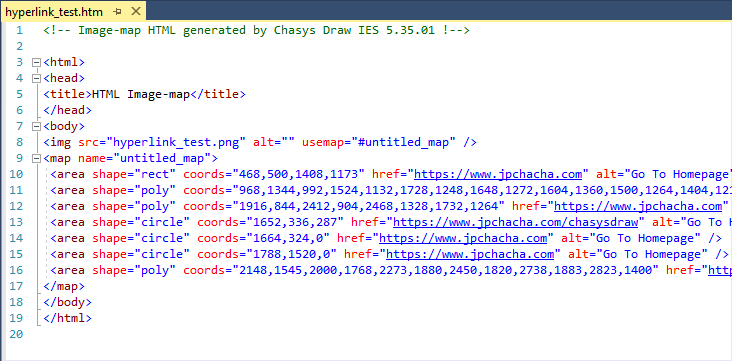
HTML Image Maps are the implementation of the same concept within the standarrd used for creating web pages (HTML) that allows areas within an image to be associated with a link, as opposed to the entire image being associated with just one link. Chasys Photo is capable of exporting hyperlinks as HTML image maps that you can import directly into your web pages for a visually appealing way to navigate or interact with content directly through images.
Export as DITA XML is also supported.
Using Hyperlinks
Hyperlinks are primarily managed using the Hyperlink option of the Mark-up Tool. Hyperlinks are also supported by the Preview window and by the Viewer app.
|
|
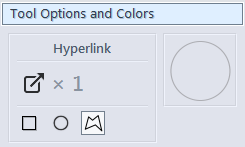
Hyperlinks in Chasys Photo can have three shapes:
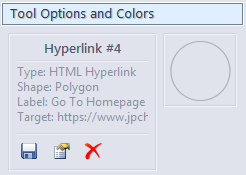
In addition to the shape, a hyperlink also has a label and a target. A label is descriptive text associated with the hyperlink; it is intended for display to the end user as an explanation for what clicking the hyperlink will do. A target is data that defines the action that the hyperlink will perform when clicked. The form taken by this data depends on the type of hyperlink. Chasys Photo supports two types of hyperlinks:
Hyperlinks are supported by the following elements within Chasys Photo:
|
Exporting Hyperlinks as Image Maps
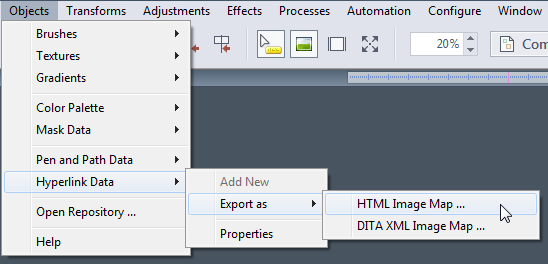
Hyperlinks can be exported as HTML files containing HTML Image Maps. They may also be exported to DITA XML Image Maps. You can also use Auto-Export to export a flat image in common formats such as JPEG or PNG for use in your webpage alongside the image map.