Adjustments : Curves / Transfer Function
Curves / Transfer Function
Curves can be used to adjust the colors of an image with a very high degree of control. It allows you to freely fine tune the intensity of every shade by adjusting the transfer function, which is represented as a graph of output value against input value.
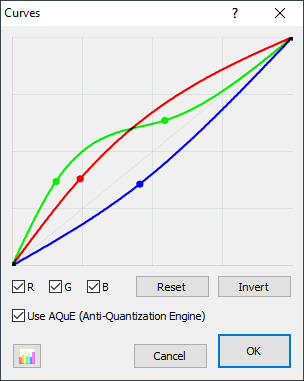
Unlike the other adjustments, curves can be used to freely adjust exactly how bright each shade of intensity in an image can be, in particular, it can be used to highlight or dim only certain ranges of intensity present in an image in a way that the others can't.
You adjust the graph using control points on a graph. Control points are added by clicking anywhere that there currently is no control point, and may be removed by right-clicking on the desired control point. To move a control point, simply click and drag it to a new location.